
Unique Bible App Plus5.2 - Google Play
You'll be able to see results in few seconds.
Publisher Description
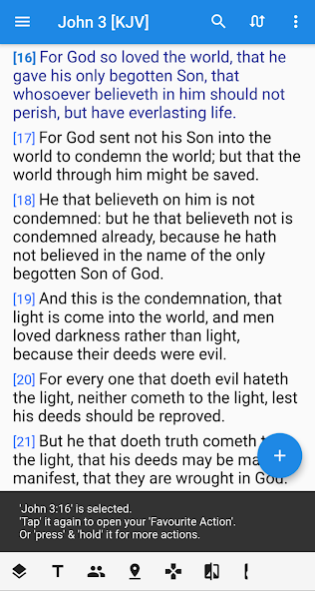
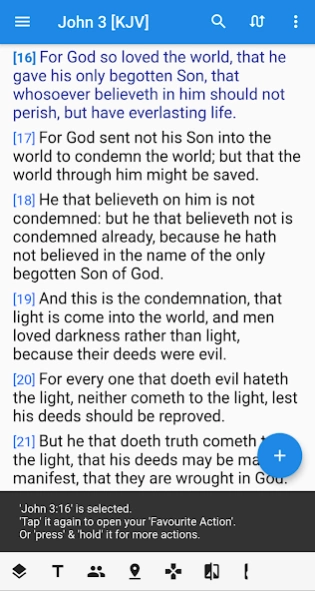
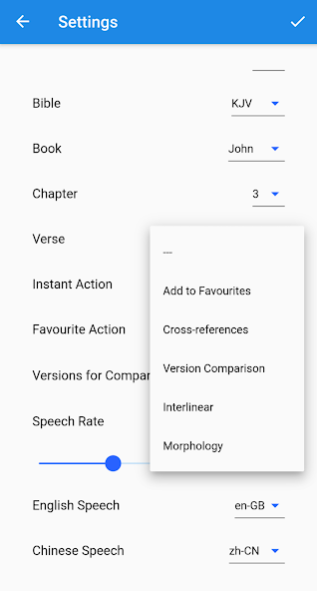
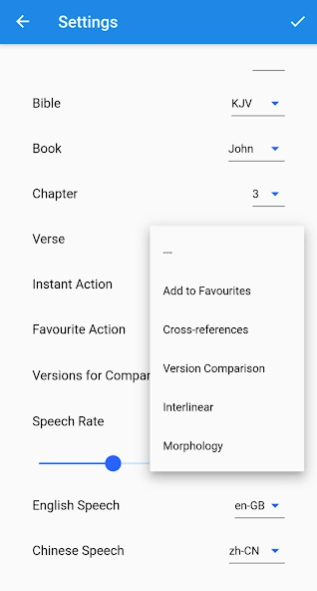
Unique Bible App "PLUS" here:
- was formerly known as "Unique Bible App +"
- is an enhanced version of our FREE "Unique Bible App".
- is the successor to our old apps "BibleBento" & "BibleBento Plus".
- represents our latest effort to bundle our BibleBento.com & Marvel.bible resources into an offline mobile app.
Features enabled in "PLUS" version:
* "Big Screen Mode", an additional set of layouts, which can be turned on or off anytime. It is designed especially for large-screen devices, like tablets or laptops
* Harmonies & Parallels
* Bible Audio
[currently supports Greek, English & Greek pronunciation; Hebrew pronunciation will be added in next release.]
* Selective Morphology Search
[In "free" version, you can only search all morphology items for individual words.]
* Instant Interlinear
[You can still use full-screen interlinear view in FREE "Unique Bible App"]
Remarks: You are not paying for resources. Resources in both "Unique Bible App" and "Unique Bible App PLUS" are the same. The difference between the two versions is only about the availability of some advanced features. "PLUS" version is a paid version, so you may show us support and have all the unlocked features.
Built for Offline Use:
* all features run offline perfectly after initial download
* internet is only needed to gain access of our online user manual & bible maps hosted at https://Marvel.bible
Illustrated User Manual is available at:
https://www.uniquebible.app/mobile
Open source & Transparent, without ads or hidden things:
Source for checking - https://github.com/eliranwong
A Brief Overview:
- Clean Layout & Easy to Use, e.g.
* you can adjust colours
* a single touch to swap between 2 most-used bible versions
* a single touch to toggle verse-by-verse parallel reading
* a single touch to open interlinear
* navigation drawer, top & bottom app bars are loaded with feature buttons
* configurable instant & favourite actions
* ... too many to put into a list
- Interface in 3 Languages:
* English
* Traditional Chinese
* Simplified Chinese
- Bibles:
* original Hebrew & Greek (Septuagint & GNT)
* instant access to Hebrew-English & Greek-English interlinear
* literal translations
* modern English & Chinese translations
* verse-by-verse parallel reading
* customisable version comparison
* favourite records & navigation history are in place
* chapters headings for quick overview
- Bible Audio
* able to pronounce Greek, English & Chinese bibles
* Hebrew pronunciation will be added in next release
* options to adjust speech rate
* options to set English accents [British or American]
* options to set Chinese dialects [Mandarin or Cantonese]
* bible audio works perfectly even in parallel reading mode
- Power & Flexible Search:
* search plain text
* search with regular expressions
* search in a book / books
* search for verse references
* range of verses & common abbreviations are supported
[refer to our online user manual for details]
- Other Search Tools:
* Hebrew morphology
* Greek morphology
* bible topics
* bible people
* bible locations
- Study Tools on Bible Topics:
* Extensive database on cross-references
* Exhaustive Library of Bible Topics
* Special Collections on Bible Promises
* parallel passages & gospels harmonies
- Study Tools on Bible Background:
* High-definition Bible Timelines
* Exhaustive Library of Bible Locations
* Exhaustive Library of Bible People
- Interlinear [popup / fullscreen]:
* Hebrew-English
* Greek-English
- Database on Original Biblical Languages:
* Hebrew Bible
* Geek New Testament
* Septuagint / LXX
* Hebrew & Greek Lexicon
[refer to our online user manual for details]
About Unique Bible App Plus
The company that develops Unique Bible App Plus is Eliran Wong. The latest version released by its developer is 5.2.
To install Unique Bible App Plus on your Android device, just click the green Continue To App button above to start the installation process. The app is listed on our website since 2020-12-18 and was downloaded 0 times. We have already checked if the download link is safe, however for your own protection we recommend that you scan the downloaded app with your antivirus. Your antivirus may detect the Unique Bible App Plus as malware as malware if the download link to app.bibletools.unique_bible_app_plus_paid is broken.
How to install Unique Bible App Plus on your Android device:
- Click on the Continue To App button on our website. This will redirect you to Google Play.
- Once the Unique Bible App Plus is shown in the Google Play listing of your Android device, you can start its download and installation. Tap on the Install button located below the search bar and to the right of the app icon.
- A pop-up window with the permissions required by Unique Bible App Plus will be shown. Click on Accept to continue the process.
- Unique Bible App Plus will be downloaded onto your device, displaying a progress. Once the download completes, the installation will start and you'll get a notification after the installation is finished.
Program Details
System requirements
Download information
Pricing
Version History
version 5.2
posted on 2020-12-19
This premium version is made FREE in Christmas 2020, with the following updates:
* updated 3 bibles (BSB, ULT, UST)
* added 2 features for show/hide Hebrew/Greeek Transliteration & show/hide Chinese Pinyin
version 5.1
posted on 2020-12-11
Two additions:
* Added a feature to show flag icons before verses, which has paragraph headings. A top on those icons display the heading text.
* Added a feature button and a workspace tab to integrate 30 sets of marvel.bible commentaries. A option is added in app "Settings" for user to select the default commentary.
Multiple important fixes: check details at https://github.com/eliranwong/DartBible-Flutter/commit/d27af0d0f96d54ea86d3cbf4c123a3e3651882c0
version 4.8
posted on 2019-12-19
updated two bible files:
- Chinese Union Version [Traditional Chinese] (CUV)
- Chinese Union Version [Simplified Chinese] (CUVs)
version 4.6
posted on 2019-11-02
* added 2 more Greek-English interlinear bibles:
- LXX1i - Septuagint [main text; interlinear]
- LXX2i - Septuagint [alternate text; interlinear]
* fixed audio on interlinear Greek-English bibles
version 4.5
posted on 2019-10-31
* 2 Fixes:
- Fixed Greek audio launched by "pressing & holding" interface of "Instant Interlinear".
- Fixed Workspace buttons colour in dark background.
* 4 New Additions:
- Added bible "LXXGNT - Septuagint [O.T. + apocrypha], combined with Open Greek New Testament".
- Added bible "LXXGNTi", where "i" means interlinear of "LXXGNT".
- Added support of "Septuagint Interlinear" for "Instant Interlinear".
- Added options of "Instant Interlinear" in "Settings".
version 4.4
posted on 2019-10-29
* fixed "Default Marvel Bible" after changing workspace pages manually.
version 4.1
posted on 2019-10-27
* added description on bible version abbreviations on verse selection panel.
* added interface for users to select a chapter to be opened on "Workspace", with "Big Screen Layout" turned on.
* users can access chapter selection interface by touching the top row on "Chapter" page, i.e. the first page on "Workspace".
version 4.0
posted on 2019-10-26
* Added a button at bottom bar to open our sister site: https://marvel.bible
Marvel Annotated Bible is opened by default when this feature is accessed.
If "Big Screen Layout" is turned on, the opened content is automatically integrated into "Workspace".
Otherwise, a web browser is opened to display the content, allowing multi-tasking.
Remarks: This new feature requires internet connectivity.
* Added tooltips to abbreviations of bible versions and books at navigation drawer.
version 3.8
posted on 2019-10-18
Added audio buttons on morphology search results.
Fixed bible audio on chapter reading after opening of morphology interface.
version 3.6
posted on 2019-10-16
Added three Tabs to organise "Workspace" better in "Big Screen Layout": "Chapter", "Verse(s)", "Words - interlinear / morphology".
Instant interlinear in "Big Screen Layout" is enhanced and moved to "Workspace. Each word is linked. The interlinear verse is followed by morphology of individual words in "Big Screen Layout".
Fixed previous failure of bible audio to read a full chapter after opening interlinear or morphology feature.
Disclaimer
Official Google Play Link
We do not host Unique Bible App Plus on our servers. We did not scan it for viruses, adware, spyware or other type of malware. This app is hosted by Google and passed their terms and conditions to be listed there. We recommend caution when installing it.
The Google Play link for Unique Bible App Plus is provided to you by apps112.com without any warranties, representations or guarantees of any kind, so access it at your own risk.
If you have questions regarding this particular app contact the publisher directly. For questions about the functionalities of apps112.com contact us.
